

I never reformat. Too much working putting things back in place afterwards. I do use on occasion the built in Windows cleanup.
Site seems to be OK. Load issue should be resolved now.
Lever action tutorial
Re: Lever action tutorial
.
I never reformat. Too much working putting things back in place afterwards. I do use on occasion the built in Windows cleanup.
I never reformat. Too much working putting things back in place afterwards. I do use on occasion the built in Windows cleanup.
UPDATES: OR passes 114, "one of strictest gun control measures in U.S." https://henryrifleforums.com/viewtopic. ... 34#p213234
Re: Lever action tutorial
.
I quit using registry cleaners back in the WinXP days. I found they were sometimes overly aggressive at cleaning and sometimes broke things.
I quit using registry cleaners back in the WinXP days. I found they were sometimes overly aggressive at cleaning and sometimes broke things.
UPDATES: OR passes 114, "one of strictest gun control measures in U.S." https://henryrifleforums.com/viewtopic. ... 34#p213234
Re: Lever action tutorial
.
Setting up your router to use a specific safe DNS server is going to be router model specific. You should find instructions in your router user manual. Do so at the router is the best place to do it if you have multiple computers going through the router.
If using a portable computer at public hot spots then you'll want to set it up on the computer.
For Win10, open the control panel app (type "control panel" in the Cortana search box)
click on 'Network and Sharing Center'
click on the highlighted 'Connections' just under 'Access Type'
click on 'Properties" at the bottom of the popup.
double click on 'Internet Protocol Version 4'
click on the button for 'Use the following DNS Servers'
If using google for DNS, type in 8.8.8.8 for Preferred server and 8.8.4.4 for the Alternate server.
Click Ok, OK and Close to close the 3 popups.
Then close the Control Panel app.
Do similar for the Internet Protocol Version 6. The google DNS addresses are different for IP Version 6. I don't remember what they are.
Setting up your router to use a specific safe DNS server is going to be router model specific. You should find instructions in your router user manual. Do so at the router is the best place to do it if you have multiple computers going through the router.
If using a portable computer at public hot spots then you'll want to set it up on the computer.
For Win10, open the control panel app (type "control panel" in the Cortana search box)
click on 'Network and Sharing Center'
click on the highlighted 'Connections' just under 'Access Type'
click on 'Properties" at the bottom of the popup.
double click on 'Internet Protocol Version 4'
click on the button for 'Use the following DNS Servers'
If using google for DNS, type in 8.8.8.8 for Preferred server and 8.8.4.4 for the Alternate server.
Click Ok, OK and Close to close the 3 popups.
Then close the Control Panel app.
Do similar for the Internet Protocol Version 6. The google DNS addresses are different for IP Version 6. I don't remember what they are.
UPDATES: OR passes 114, "one of strictest gun control measures in U.S." https://henryrifleforums.com/viewtopic. ... 34#p213234

Re: Lever action tutorial
Thanks, my router's DNS button is set on "Get Automatically from ISP". I called my ISP support and they said they have their own secure DNS server and also if for some reason theirs was down it would automatically default to a known safe DNS server.
My ISP is a local company, not a major corp like Verizon, etc. They're even called "LocalTel". I can call support 7 days a week until Midnight and talk to a technician that is actually here in town. When I buy a new router I just take it to them and they set up all the complicated bits.
Re: Lever action tutorial
.
 You've got a top notch ISP there. Our ISP is Frontier. Couple years ago when we were having problems with random ransomware popping up, they didn't have their own DNS servers.
 You've got a top notch ISP there. Our ISP is Frontier. Couple years ago when we were having problems with random ransomware popping up, they didn't have their own DNS servers.
dave77 wrote: ↑Fri Dec 20, 2019 1:21 amThanks, my router's DNS button is set on "Get Automatically from ISP". I called my ISP support and they said they have their own secure DNS server and also if for some reason theirs was down it would automatically default to a known safe DNS server.
My ISP is a local company, not a major corp like Verizon, etc. They're even called "LocalTel". I can call support 7 days a week until Midnight and talk to a technician that is actually here in town. When I buy a new router I just take it to them and they set up all the complicated bits.
UPDATES: OR passes 114, "one of strictest gun control measures in U.S." https://henryrifleforums.com/viewtopic. ... 34#p213234
Re: Lever action tutorial
We're pretty lucky here, our PUD has run fiber to a large percentage of the county. They don't provide ISP services but charge local independent ISP's for fiber access. Since the PUDs are non-profit, fiber rates are very reasonable. If I needed it I could get 1Gig down/100Mbps up for $75 a month, I have 100/10 for about $45 a month.
Power rates are also the cheapest in the country (about 3 cents per kilowatt hour) because 3 adjacent county PUDs own a total of 5 Columbia River dams. Because of the low power rates many bit coin miners have been moving in, PUDs have been setting up higher rates for them because they were using a lot of their surplus power which the PUDs sell on the open market to keep local rates low.
https://www.wenatcheeworld.com/news/loc ... 6ba26.html
Power rates are also the cheapest in the country (about 3 cents per kilowatt hour) because 3 adjacent county PUDs own a total of 5 Columbia River dams. Because of the low power rates many bit coin miners have been moving in, PUDs have been setting up higher rates for them because they were using a lot of their surplus power which the PUDs sell on the open market to keep local rates low.
https://www.wenatcheeworld.com/news/loc ... 6ba26.html
Mags wrote: ↑Sat Dec 21, 2019 10:40 am.
dave77 wrote: ↑Fri Dec 20, 2019 1:21 amThanks, my router's DNS button is set on "Get Automatically from ISP". I called my ISP support and they said they have their own secure DNS server and also if for some reason theirs was down it would automatically default to a known safe DNS server.
My ISP is a local company, not a major corp like Verizon, etc. They're even called "LocalTel". I can call support 7 days a week until Midnight and talk to a technician that is actually here in town. When I buy a new router I just take it to them and they set up all the complicated bits.
-
RanchRoper

- Forum Ambassador
- Posts: 12959
- Joined: Mon Mar 21, 2016 12:14 am
- Location: Land of Shining Mountains, Alberta

Re: Lever action tutorial
Wasn't Pud the kid in the Double Bubble gum wrapper comics?
Kibler Colonial Flintlock .50
Ohkínohkomit - Shoot skillfully
Re: Lever action tutorial
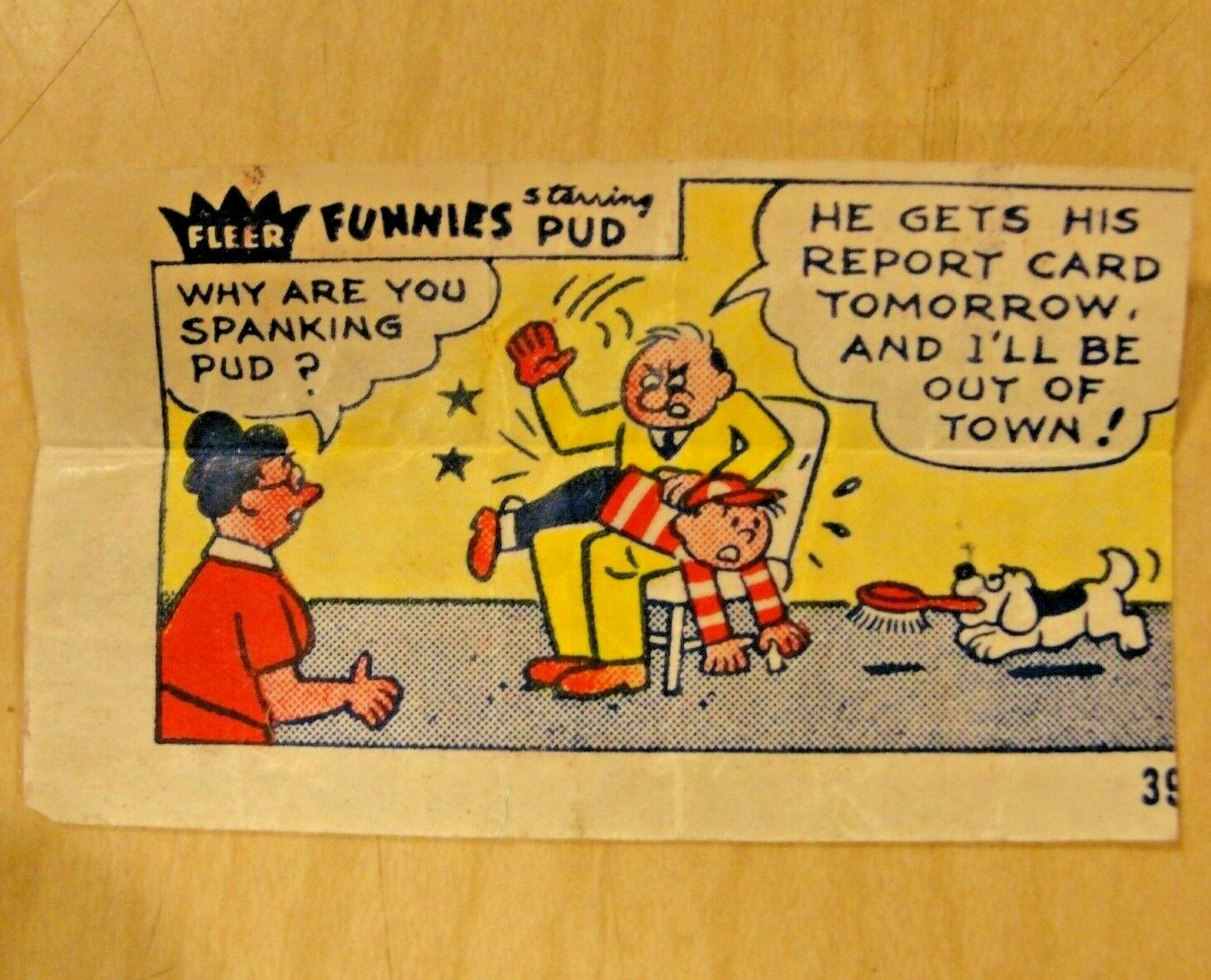
https://www.bubblegum-comics.com/FleerFunnies.html
Although the PUD I was referring to is a Public Utility District
-
RanchRoper
- Forum Ambassador
- Posts: 12959
- Joined: Mon Mar 21, 2016 12:14 am
- Location: Land of Shining Mountains, Alberta
Re: Lever action tutorial
Ya that's him!
Kibler Colonial Flintlock .50
Ohkínohkomit - Shoot skillfully