Page 1 of 1
Firearms and Photography Hints
Posted: Wed May 18, 2016 9:29 pm
by Sir Henry
If you have any hints or techniques please post them here.
My tip is to remove all fingerprints from the firearms/scopes. Here is a before and after picture. I shot this 9422M today and you can see where I touched it. I use a paint brush and FrogLube. It works great for protecting the finish from finger grim and dust/debris. You often don't notice the fingerprints in person but in a glamorous picture the light you often use highlights the finish and whatever is on the finish.
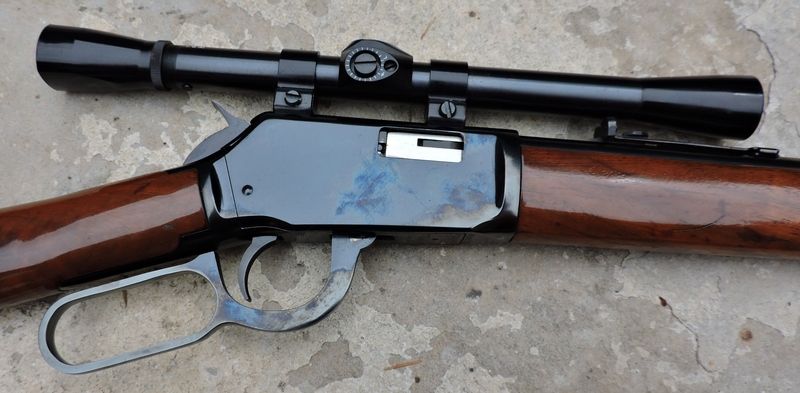
I didn't see the small amount that I didn't get the first time around. I redid it and eliminated it but didn't redo the picture.
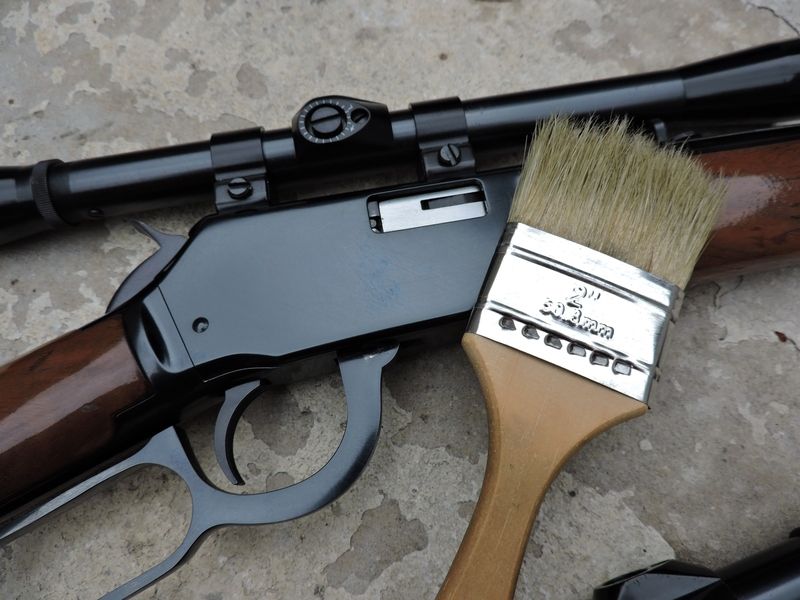
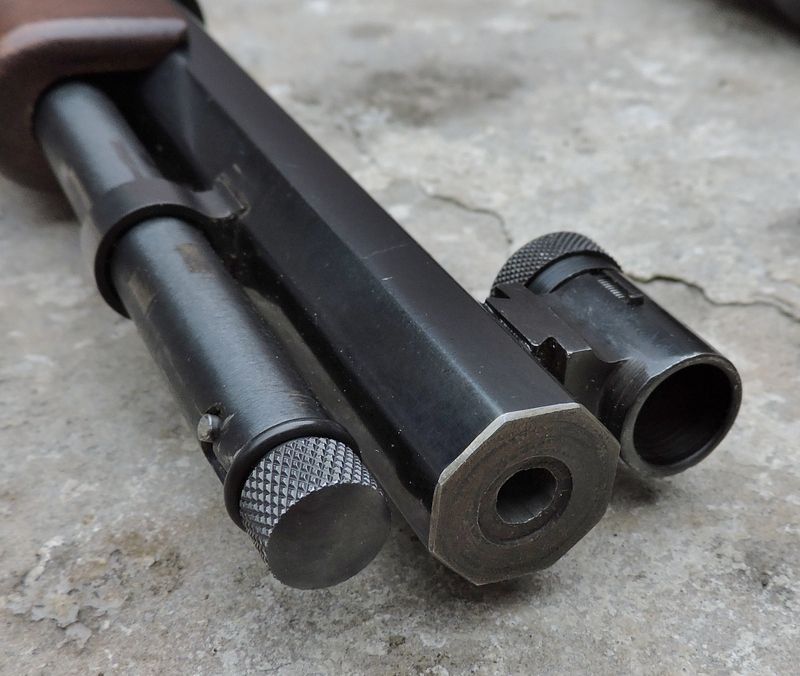
I could have removed the dust from this shot had I brushed it. I'll be posting this picture in another thread and talking about it.
Re: Firearms and Photography Hints
Posted: Thu May 19, 2016 1:22 am
by Henry88
Can't see the pics right now, but I chuckled at the thought of "glamorous pictures" of guns. I know I don't have any that call for a "
Glamor Shot"
Maybe my P-38, if Roger Moore and not me where holding it

Re: Firearms and Photography Hints
Posted: Thu May 19, 2016 4:38 am
by albin25
There, I dusted it for ya...


Re: Firearms and Photography Hints
Posted: Thu May 19, 2016 8:49 pm
by ditto1958
Hey. Photochopping is like lip syncing!

Re: Firearms and Photography Hints
Posted: Thu May 19, 2016 10:26 pm
by Deadwood Dutch
Thanks for the information. I have taken pictures of my guns and after I posted them I wished that I had wiped them down so the smudges and fingerprints had not shown.
Re: Firearms and Photography Hints
Posted: Thu May 19, 2016 11:13 pm
by Sir Henry
albin25 wrote:There, I dusted it for ya...
What program do you use? I use PhotoImpact Pro and can do the same thing but its time consuming. Thanks.
Re: Firearms and Photography Hints
Posted: Fri May 20, 2016 1:53 am
by albin25
I switch back and forth between 2 programs, sometimes 3, Print shop,
Paint and MS Photo Editor (the old version only found as an option on Office 2000).
I have used the newer programs but I prefer the greater flexibility of the old ones.
It took maybe 10 minutes to render the dusty barrel picture. If it wasn't a spur of the moment thing at 1:30am, I would have
spent up to an hour or two to make a cleaner job. If doing a paying job (more of a hobby) it can take several days and combine 3-5 or more separate pictures into one.
I tend to spend a bit more time on my own stuff.
My personal taste runs to a warmer, slightly softer focus that still retains texture/detail,
and less towards the hard focused, commercial brochure look.
 Beretta 86 Cheetah 380
Re: Firearms and Photography Hints
Posted: Fri May 20, 2016 10:14 am
by Sir Henry
Nice composition. I like to change the highlights and posterize a picture. Most computers display at 256 colors but here I've reduced it to six. In a way it almost makes them look like a cartoon.
Re: Firearms and Photography Hints
Posted: Fri May 20, 2016 11:46 am
by CT_Shooter
Sir Henry wrote:...Most computers display at 256 colors ...
There was a time... But now, computer displays and graphic cards render a dazzling spectrum of millions of colors. I use Adobe Fireworks CS4 and have for a long time.
Re: Firearms and Photography Hints
Posted: Fri May 20, 2016 1:04 pm
by Sir Henry
CT_Shooter wrote:Sir Henry wrote:...Most computers display at 256 colors ...
There was a time... But now, computer displays and graphic cards render a dazzling spectrum of millions of colors. I use Adobe Fireworks CS4 and have for a long time.
I was thinking that after I posted.
Re: Firearms and Photography Hints
Posted: Sun May 29, 2016 2:13 am
by Nam Vet
Great tips.
Re: Firearms and Photography Hints
Posted: Fri Jun 03, 2016 4:51 pm
by RanchRoper
All good info. Thks.
Re: Firearms and Photography Hints
Posted: Fri Aug 25, 2017 7:14 am
by chuckcook
Re: Firearms and Photography Hints
Posted: Fri Aug 25, 2017 8:04 am
by PT7
Hey, Cook.
You overcame your "biggest challenge" quite well in these photos.

I have the same prob, especially with stainless steel handguns and knives. Yours is excellent photography! From my perspective only, the revolver would also make a great avatar.
chuckcook wrote:My biggest challenge is always lighting or glare on shiny objects. I ALWAYS shoot plenty of photos, changing the angle slightly in hopes of capturing a good shot and reducing glare at the same time. I've been using LunaPic, Ribbet or Snapseed for editing.

Re: Firearms and Photography Hints
Posted: Fri Aug 25, 2017 8:54 am
by chuckcook
Thanks, PT7
It's alway a challenge. Damn near impossible to reduce all glare. I agree the revolver pic would be a cool avatar.
Re: Firearms and Photography Hints
Posted: Fri Aug 25, 2017 11:51 am
by Coach
Ever since photobucket crapped out I haven't been able to post pictures.
I'll have to figure something out but I'm kinda a Luddite when it comes to computers. PB just used to work for me.
Re: Firearms and Photography Hints
Posted: Fri Aug 25, 2017 11:59 am
by CT_Shooter
Coach wrote:Ever since photobucket crapped out I haven't been able to post pictures.
I'll have to figure something out but I'm kinda a Luddite when it comes to computers. PB just used to work for me.
Coach, you can post pictures directly to this forum. Select to use the Advanced/Preview window to write your post. There is a tab at the bottom of that window called "attachments". Select it, select to "Add Files", upload your picture, then choose to "place inline" and it will appear in your post where your cursor is.
Capture.JPG
Re: Firearms and Photography Hints
Posted: Fri Aug 25, 2017 1:03 pm
by chuckcook
Coach wrote:Ever since photobucket crapped out I haven't been able to post pictures.
I'll have to figure something out but I'm kinda a Luddite when it comes to computers. PB just used to work for me.
I've been using this free site since photobucket went South!
https://ctrlq.org/images/


