
Site seems to be OK. Load issue should be resolved now.
Photo testing
Re: Photo testing
You are a bad boy. Do you need adult supervision?
Vietnam, Cambodia, DMZ
101st Airborne, Recon. ( Where in the heck are we?)
25th Inf. Div.2/22 Inf. Reg.(mech.)TC
Sgt., U.S. Army, Sniper
S&W Model 67
IMI Zion AR
Uberti 1873 Bisley
Henry .357 Carbine CCH
Henry SGR .22
Taurus 856
101st Airborne, Recon. ( Where in the heck are we?)
25th Inf. Div.2/22 Inf. Reg.(mech.)TC
Sgt., U.S. Army, Sniper
S&W Model 67
IMI Zion AR
Uberti 1873 Bisley
Henry .357 Carbine CCH
Henry SGR .22
Taurus 856
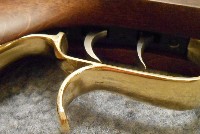
Re: Photo testing
~+~+~+~
You do not have the required permissions to view the files attached to this post.
~Пока~
-
tx gunrunner
Re: Photo testing
It is this forum .
You do not have the required permissions to view the files attached to this post.

Re: Photo testing
I'm using Firefox. I see the photos you all say are aspect ratio distorted as distorted too. I also see your normal ones as normal. Out in the other topics I see a lot peoples pictures upside down.
I've not been able to upload a photo that displays as aspect ratio distorted regardless of portrait or landscape orientation. I have one of 3 things happen when I upload pictures, they are either normal, inverted or rotated. When I see not-normal in preview I delete the upload, rotate the photo and then upload it again and it then displays as it should.
I've not been able to upload a photo that displays as aspect ratio distorted regardless of portrait or landscape orientation. I have one of 3 things happen when I upload pictures, they are either normal, inverted or rotated. When I see not-normal in preview I delete the upload, rotate the photo and then upload it again and it then displays as it should.
UPDATES: OR passes 114, "one of strictest gun control measures in U.S." https://henryrifleforums.com/viewtopic. ... 34#p213234
Re: Photo testing
Found this on GoDaddy
In another photo forum, landscape mode is achieved by rotating your phone left or right from vertical. The picture can end posted upside down or right side up depending on which way you rotated the phone before taking the picture.Images might display sideways or upside down after uploading them to your website thanks to the picture being taken on a phone or camera that is in landscape mode. While most image viewers will automatically rotate the image to the correct orientation when viewing it, most internet browsers do not.
In order to change the orientation on an image, you will need to open the picture in a dedicated image editing software, rotate it to your desired orientation, then save the image and re-upload it onto your website.
UPDATES: OR passes 114, "one of strictest gun control measures in U.S." https://henryrifleforums.com/viewtopic. ... 34#p213234
-
JEBar

- Town Marshal / Deputy Admin
- Posts: 20449
- Joined: Sun Mar 20, 2016 10:58 pm
- Location: central NC

Re: Photo testing
our forum software often turns cellphone photos, no clue why .... if a photo from a phone or camera is saved to a computer, opened by a photo program (I use IrfanView ===> https://www.irfanview.com/) , turned as need/if it is needed, resave to the computer, then uploaded to the forum, if it is correctly sized it will upload to the forum in the right alignment
Re: Photo testing
I don't think it's just this forum's software. Lots of other postings on the web claim this is a common problem with the web browsers themselves.JEBar wrote:our forum software often turns cellphone photos, no clue why .... if a photo from a phone or camera is saved to a computer, opened by a photo program (I use IrfanView ===> https://www.irfanview.com/) , turned as need/if it is needed, resave to the computer, then uploaded to the forum, if it is correctly sized it will upload to the forum in the right alignment
Yes I use the photo edit procedure on my computer too to get pictures into the correct orientation.
I think if one figures out how to hold the phone in the right orientation when taking a picture the pictures will post correctly. I'm not sure about this so I'll take some pictures, post them and see what comes of it.
UPDATES: OR passes 114, "one of strictest gun control measures in U.S." https://henryrifleforums.com/viewtopic. ... 34#p213234
Re: Photo testing
These are a series of pictures taken with my phone of a vertically placed object. A notebook propped up standing open vertically.
Basic phone description: phone logo at the top, phone home button at the bottom. Phone touch screen facing toward me. Camera lens is on the back of phone, near the top almost behind the phone logo. Browser is Firefox.
Screen shot from my PC desktop. Pictures are in the correct orientation as viewed on my PC and this screen shot uploaded to HRF in the correct orientation too, but the aspect ratio is distorted (distortion not seen in the posting previewer). 1. This picture was taken with the phone right-side-up (portrait). ie phone logo at the top. You can see this picture uploaded rotated to the left. 2. This picture was taken with the phone up-side-down (portrait). ie phone logo at the bottom. After upload you see this picture rotated to the right. 3. This picture was taken in landscape with the phone logo to the left. This picture after upload is in the correct orientation. 4. This picture was taken in landscape with the phone logo to the right. This picture after upload is upside down. So now if I can remember how to hold my phone when taking a picture, it will upload in the correct orientation (as in #3).
.
Basic phone description: phone logo at the top, phone home button at the bottom. Phone touch screen facing toward me. Camera lens is on the back of phone, near the top almost behind the phone logo. Browser is Firefox.
Screen shot from my PC desktop. Pictures are in the correct orientation as viewed on my PC and this screen shot uploaded to HRF in the correct orientation too, but the aspect ratio is distorted (distortion not seen in the posting previewer). 1. This picture was taken with the phone right-side-up (portrait). ie phone logo at the top. You can see this picture uploaded rotated to the left. 2. This picture was taken with the phone up-side-down (portrait). ie phone logo at the bottom. After upload you see this picture rotated to the right. 3. This picture was taken in landscape with the phone logo to the left. This picture after upload is in the correct orientation. 4. This picture was taken in landscape with the phone logo to the right. This picture after upload is upside down. So now if I can remember how to hold my phone when taking a picture, it will upload in the correct orientation (as in #3).
.
You do not have the required permissions to view the files attached to this post.
UPDATES: OR passes 114, "one of strictest gun control measures in U.S." https://henryrifleforums.com/viewtopic. ... 34#p213234
-
JEBar
- Town Marshal / Deputy Admin
- Posts: 20449
- Joined: Sun Mar 20, 2016 10:58 pm
- Location: central NC
Re: Photo testing
interesting ... thanks for taking the time and effort to research it
Re: Photo testing
sure - no problem. I hope it was helpful to our members.
oh - one more thing. Using Firefox in debug mode, found that the aspect ratio problem is a height issue. Causes images to be stretched in height which artificially makes them look squished in width. Removing the height parameters in the HTML code for the pictures got rid of the aspect ratio problem. As part of this debug I also noticed that all my photos suffered some aspect ratio issue with picture height. For most pictures the height stretch was just a small amount and not all that noticeable (for example 995px vrs 1024px). For other pictures the HTML code had the height space set sometimes more than 2x the actual height of the photo resulting in a height stretched photo (995px vrs 1830px). By deleting the height parameters and leaving the width parameters alone the pictures appear to auto adj in height and look ok. I haven't tried this yet, but I think that removing both height and width parameters in the HTML code the pictures will display just fine in their native aspect ratios.
This debug is local to my PC and in no way affects the actual HRF website.
oh - one more thing. Using Firefox in debug mode, found that the aspect ratio problem is a height issue. Causes images to be stretched in height which artificially makes them look squished in width. Removing the height parameters in the HTML code for the pictures got rid of the aspect ratio problem. As part of this debug I also noticed that all my photos suffered some aspect ratio issue with picture height. For most pictures the height stretch was just a small amount and not all that noticeable (for example 995px vrs 1024px). For other pictures the HTML code had the height space set sometimes more than 2x the actual height of the photo resulting in a height stretched photo (995px vrs 1830px). By deleting the height parameters and leaving the width parameters alone the pictures appear to auto adj in height and look ok. I haven't tried this yet, but I think that removing both height and width parameters in the HTML code the pictures will display just fine in their native aspect ratios.
This debug is local to my PC and in no way affects the actual HRF website.
UPDATES: OR passes 114, "one of strictest gun control measures in U.S." https://henryrifleforums.com/viewtopic. ... 34#p213234
Re: Photo testing
More on the aspect ratio issue. The 'style' height and width parameters for each picture in the HTML code cause the picture to stretch in both height and width. When the style parameters are close to the aspect ratio of the picture the stretching isn't noticeable. Otherwise it is. By eliminating the 'style' height and width parameters, this allows the pictures to auto size in their native aspect ratios correctly. The pictures also scale correctly when the browser window is resized. Which doesn't happen currently.
UPDATES: OR passes 114, "one of strictest gun control measures in U.S." https://henryrifleforums.com/viewtopic. ... 34#p213234
Re: Photo testing
Photo discussion resumed from http://henryrifleforums.com/viewtopic.p ... =20#p66079
This screen capture shows the as-is warped picture and the corresponding HTML code. Note the style width and height.
This screen capture shows the as-is warped picture and the corresponding HTML code. Note the style width and height.
You do not have the required permissions to view the files attached to this post.
UPDATES: OR passes 114, "one of strictest gun control measures in U.S." https://henryrifleforums.com/viewtopic. ... 34#p213234
Re: Photo testing
.
Next is with the style height changed to 'auto'.
Next is with the style height changed to 'auto'.
You do not have the required permissions to view the files attached to this post.
UPDATES: OR passes 114, "one of strictest gun control measures in U.S." https://henryrifleforums.com/viewtopic. ... 34#p213234
Re: Photo testing
.
This screen capture only the style width only is set to auto. Warped photo as original.
This screen capture only the style width only is set to auto. Warped photo as original.
You do not have the required permissions to view the files attached to this post.
UPDATES: OR passes 114, "one of strictest gun control measures in U.S." https://henryrifleforums.com/viewtopic. ... 34#p213234
Re: Photo testing
.
In this last screen shot, both style width and height set to auto.
In this last screen shot, both style width and height set to auto.
You do not have the required permissions to view the files attached to this post.
UPDATES: OR passes 114, "one of strictest gun control measures in U.S." https://henryrifleforums.com/viewtopic. ... 34#p213234
Re: Photo testing
Conclusion: If the 'style height' is configurable from the forum's admin control panel, this should minimize warped photo issues.
UPDATES: OR passes 114, "one of strictest gun control measures in U.S." https://henryrifleforums.com/viewtopic. ... 34#p213234
-
CT_Shooter
- Administrator emeritus
- Posts: 5797
- Joined: Mon Mar 21, 2016 8:42 am
- Location: Connecticut
Re: Photo testing
Thanks for your insight, Mags. But, it's not likely addressable from an Admin control panel.Mags wrote:Conclusion: If the 'style width' is configurable from the forum's admin control panel, this should minimize warped photo issues.
Not that I'm an expert, but I have worked with PHP and MySQL database applications before (in a former life), and have some experience using PHP as a server side scripting language, though I haven't done any coding in more than seven years and I've forgotten too much of it to be a reliable adviser today. However, I think the solution requires modifications to one or more of the Cascading Style Sheets, which can be tricky business for those with limited or no experience. PHP applications like this usually have many hundreds of files that work together as one. A tiny change in the code here or there can have interesting and unexpected results.
Dave will eventually have time to devote to it. For some of us, the photo challenges are a huge problem, but for most of us, the forum is a great place to share and learn just as it is.
H006M BBB .357 - H001 Classic .22LR - Uberti/Taylors & Co. SmokeWagon .357 5.5" - Uberti/Taylors & Co. RanchHand .22LR 5.5" - Colt King Cobra Carry 2" - Colt Official Police 38spl 4"
Re: Photo testing
Absolutely accurate assessment. 
Thanks, CT_Shooter.
Thanks, CT_Shooter.
CT_Shooter wrote:
Dave will eventually have time to devote to it. For some of us, the photo challenges are a huge problem, but for most of us, the forum is a great place to share and learn just as it is.
~Пока~
Re: Photo testing
Ya, I'm not surprised by that. A lot of webpage config software is like that.CT_Shooter wrote:.......... it's not likely addressable from an Admin control panel.Mags wrote:Conclusion: If the 'style width' is configurable from the forum's admin control panel, this should minimize warped photo issues.
No worries there. Just offering the insight on the off chance there might be an easy fix. For myself I figured out a way to compensate through my cell camera settings and how I hold it so that the pictures I take I don't have to worry about how they post.CT_Shooter wrote:Dave will eventually have time to devote to it. For some of us, the photo challenges are a huge problem, but for most of us, the forum is a great place to share and learn just as it is.
I noticed that PT7 emphasized 'huge problem' as an "accurate assessment". Anyway, we'll see what Dave comes up.
UPDATES: OR passes 114, "one of strictest gun control measures in U.S." https://henryrifleforums.com/viewtopic. ... 34#p213234
Re: Photo testing
.
continued from cimarron six-shooter topic http://henryrifleforums.com/viewtopic.p ... 297#p86780
Good to hear the scripts should resolve. In the meantime know that posting an image in 4:3 ratio doesn't always work. What does seem to always work is pasting the image into a 4:3 background and then posting it (http://henryrifleforums.com/viewtopic.p ... 297#p86780).
Example of when it doesn't work, both these images are 4:3 ratio.
continued from cimarron six-shooter topic http://henryrifleforums.com/viewtopic.p ... 297#p86780
Good to hear the scripts should resolve. In the meantime know that posting an image in 4:3 ratio doesn't always work. What does seem to always work is pasting the image into a 4:3 background and then posting it (http://henryrifleforums.com/viewtopic.p ... 297#p86780).
Example of when it doesn't work, both these images are 4:3 ratio.
CT_Shooter wrote:There are modifications to the scripts that should resolve this issue; hopefully, Dave's new assistant can manage to correct it. In the meantime, using a 4:3 ratio for image dimensions works.
Cimmeron.jpg
Mags wrote:.
not that it really matters, but the picture is actually stretched vertically, which makes it appear squished horizontally. Whats weird is that in 'preview' the pictures aren't distorted, but are when 'submitted'. A while back I visited the phpBB Software bug report website. Looks like there are some php script fixes for how pictures are handled, so hopefully we'll see those proliferated here as part of the underway maintenance updates.PT7 wrote:Robert,robert6588 wrote:This is my Cimarron six-shooter in 45 Colt.
Krunchnik said your photo looked a "little squished." A lot of mine used to be distorted like that.
The member who helped me out with this photo problem was CT_Shooter. So I dug around on his previous posts, remembering he helped someone else with this back in January. Here is that post: http://henryrifleforums.com/viewtopic.p ... 639#p81639
CT_Shooter wrote:I'd suggest you try making that adjust and see if the distortion is handled.Photos on this forum are best displayed in 4:3 ratio, so I resized yours to 1024x768.
PT7
P.S. Just saw the same distortion issue in your "Uberti 1873, 45 Colt" thread.
You do not have the required permissions to view the files attached to this post.
Last edited by Mags on Wed Nov 09, 2022 10:57 pm, edited 2 times in total.
UPDATES: OR passes 114, "one of strictest gun control measures in U.S." https://henryrifleforums.com/viewtopic. ... 34#p213234